
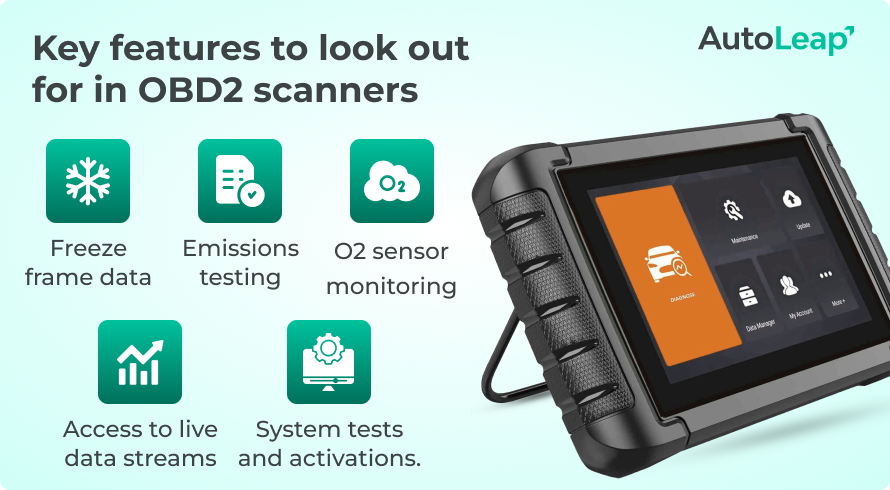
- A good OBD2 scanner does more than read check engine codes — look for live data and freeze frame.
- Readiness monitors matter if you need to pass an emissions test after a recent repair.
- ABS, airbag, and other system support varies by scanner, so confirm coverage for your vehicle.
- Bi-directional control and service resets are powerful but not essential for casual users.
- Match features to your skill level and budget — a scanner with unused extras is wasted money.
Choosing the right diagnostic tool can save time, money, and a lot of stress. But with so many models on the market, it is easy to buy a scanner that looks good on paper and still does not fit your needs. That is why a smart OBD2 Scanner Buying Guide matters before you spend a single dollar.
An OBD2 scanner is not just for checking engine lights. The best tool can help you read trouble codes, clear warnings, view live data, test emissions readiness, and even support advanced vehicle systems. The key is knowing which features are useful for your car, skill level, and budget.
In this guide, you will learn what OBD2 scanners do, which features matter most, and how to avoid common buying mistakes. By the end, you will know how to choose a diagnostic tool that is simple, reliable, and worth the money.
What an OBD2 Scanner Actually Does
An OBD2 scanner connects to your vehicle’s onboard diagnostic system. It reads data from the car’s computer and helps you understand why a warning light is on. Most people use it to check the check engine light, but that is only the start.
A basic scanner can show trouble codes such as P0300 for a misfire or P0420 for catalyst efficiency problems. A better scanner may show live sensor data, freeze frame data, and emissions status. More advanced tools can talk to systems like ABS, airbag, transmission, and body control modules.
One important point many beginners miss: not every scanner works the same way across all cars. A cheap scanner may read basic engine codes on almost any 1996 or newer vehicle, but advanced functions may depend on the car brand, model, and year. This is why you should never buy based on price alone.
Start With Your Real Needs
The best scanner for a home user is often very different from the best scanner for a mechanic. Before you compare features, think about how you will use the tool most often.
For simple car owners
If you mainly want to know why the check engine light is on, a basic code reader is usually enough. It should read and clear engine codes, show a short code description, and check emissions readiness. You do not need a complex tool if you only use it a few times a year.
For DIY car repair
If you repair your own car, look for live data, freeze frame information, and maybe basic bi-directional control. These features help you see what the car is doing in real time and confirm whether a repair worked. This is especially useful for problems that do not always set a code.
For professional use
A mechanic or serious technician needs more than basic OBD2 support. You may need ABS, SRS, transmission access, special functions, service resets, and broad vehicle coverage. In this case, speed, update support, and software depth matter more than a low price.
Non-obvious insight: many buyers focus only on “how many functions” a scanner has. In real use, how well it performs one function can matter more. A slow scanner with weak code descriptions can waste more time than a simple tool with clean, accurate results.
Know the Main Types of OBD2 Scanners
There are several scanner types, and each one serves a different buyer. Understanding the categories makes the buying decision much easier.
Basic code readers
These are the simplest tools. They read and clear engine codes, usually show code definitions, and may display some basic readiness data. They are affordable and easy to use.
Best for: drivers who only want quick answers for warning lights.
Mid-range scan tools
These scanners add live data, graphing, freeze frame info, and more vehicle coverage. Some can read ABS and airbag codes on select vehicles. They are a strong choice for DIY users.
Best for: people who want more detail without paying professional prices.
Advanced diagnostic scanners
These tools may support multiple modules, service resets, special functions, and bi-directional testing. Some even include tablet-style interfaces, fast software, and regular updates.
Best for: professionals and advanced users who need deeper control.
Bluetooth and app-based scanners
These plug into the vehicle and connect to a phone or tablet. They are often compact and convenient. The software quality matters a lot here, because the app controls the real user experience.
Best for: users who like a mobile setup and do not mind using an app.
Non-obvious insight: app-based scanners can look modern, but a weak app can make the tool frustrating. A good mobile scanner should have stable Bluetooth, clear menus, and reliable updates. A shiny device with poor software is still a poor tool.
Features That Really Matter
Many product pages list dozens of features. Some are useful. Some are just marketing. Here is what actually deserves your attention.
Credit: xtoolglobal.com
Code reading and code clearing
This is the core job of any OBD2 scanner. Make sure it can read both generic and manufacturer-specific codes if possible. Generic codes are universal, while manufacturer codes can help uncover brand-specific problems.
Live data
Live data shows sensor values while the engine runs. This helps you spot issues that only appear under certain conditions. For example, you can check oxygen sensor behavior, fuel trim, coolant temperature, and airflow readings.
Live data is one of the most useful features for diagnosing real problems. Without it, you are often just guessing.
Freeze frame data
Freeze frame is a snapshot of the car’s condition when the fault happened. It may show engine load, RPM, temperature, and speed. This data can point you toward the real cause of a fault instead of just the symptom.
Readiness monitors
These show whether the car is ready for an emissions test. If you clear codes too early before a test, you may reset monitors and fail the inspection. This is a common mistake, especially after repairs.
ABS and airbag support
Not all scanners can read these systems. If you want to diagnose brake or airbag warning lights, confirm that your scanner supports the exact vehicle and module you need.
Bi-directional control
This feature lets the scanner send commands to the vehicle. For example, you may activate a fan, run a fuel pump test, or cycle an actuator. It is very useful, but not necessary for casual users.
Service reset functions
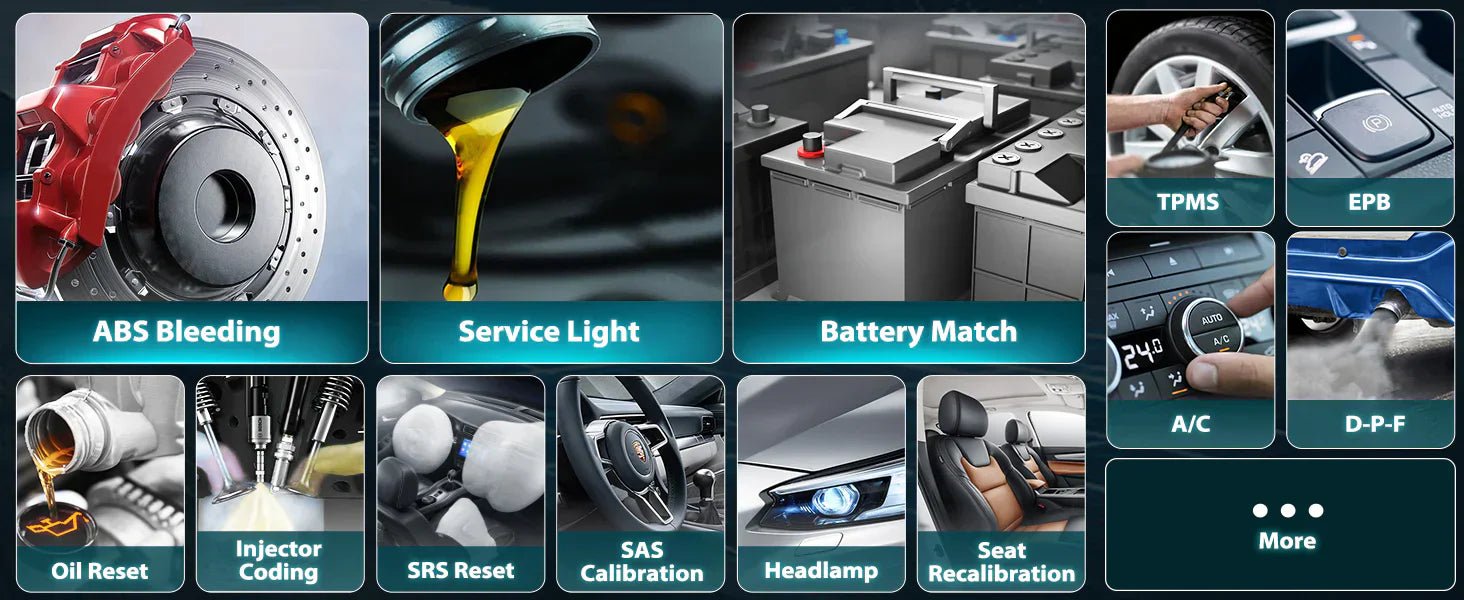
Some scanners can reset oil lights, EPB, steering angle sensors, throttle adaptations, and battery registration. These features are helpful after maintenance, but they are not all equally important for every driver.
Non-obvious insight: a scanner with many “special functions” may still lack the one function you actually need for your car. Always check the exact function name and supported vehicle list before buying.
Compatibility Should Be Checked Twice
Compatibility is one of the biggest reasons people regret a scanner purchase. A tool may claim “works on most cars,” but that does not guarantee full support for your vehicle.
Vehicle year matters
For OBD2, most gasoline cars in the United States and many other markets use the standard from 1996 onward. Diesel and non-US vehicles may have different rules. Always confirm your car’s year and region.
Vehicle brand matters
Some scanners handle certain brands better than others. European, Asian, and domestic cars can all have different module structures and service needs. A scanner that is strong on one brand may be weaker on another.
System depth matters
One tool may read only engine codes, while another can access ABS, SRS, transmission, and body modules. If you want full diagnostics, look beyond the OBD2 label and check module coverage carefully.
Heavy-duty and special vehicles are different
Motorcycles, trucks, and commercial vehicles often need separate support. Do not assume a standard car scanner will cover them well.
Think About Ease of Use
A scanner can have powerful features and still be a bad choice if it is hard to use. Good design saves time every single day.
Screen quality and menu layout
If the scanner has its own screen, look for clear text, strong contrast, and simple menus. Small, crowded screens are tiring to use, especially in low light.
Speed matters more than many buyers think
Slow scanners make basic tasks annoying. Waiting too long for a code scan, a menu load, or a live data refresh can turn a useful device into a tool you avoid.
Language support and code descriptions
If English is not your first language, easy wording matters. Look for scanners with plain code explanations, not only technical abbreviations. Some tools also support multiple languages, which can help a lot.
Update process
Good tools stay useful longer when they receive software updates. Check whether updates are free, easy to install, and available for your model. Some brands offer short update periods or charge later for new coverage.
| What to Check | Why It Matters | Best For |
|---|---|---|
| Speed | Reduces waiting and frustration | All users |
| Screen clarity | Makes results easier to read | Workshop and home use |
| Update support | Extends tool life and vehicle coverage | Long-term buyers |
| Menu simplicity | Helps beginners use the tool faster | New users |
| App quality | Improves mobile scanner experience | Phone and tablet users |
Wired, Wireless, or Handheld?
The connection style changes how the scanner feels in daily use. Each option has benefits.
Credit: mechanicbase.com
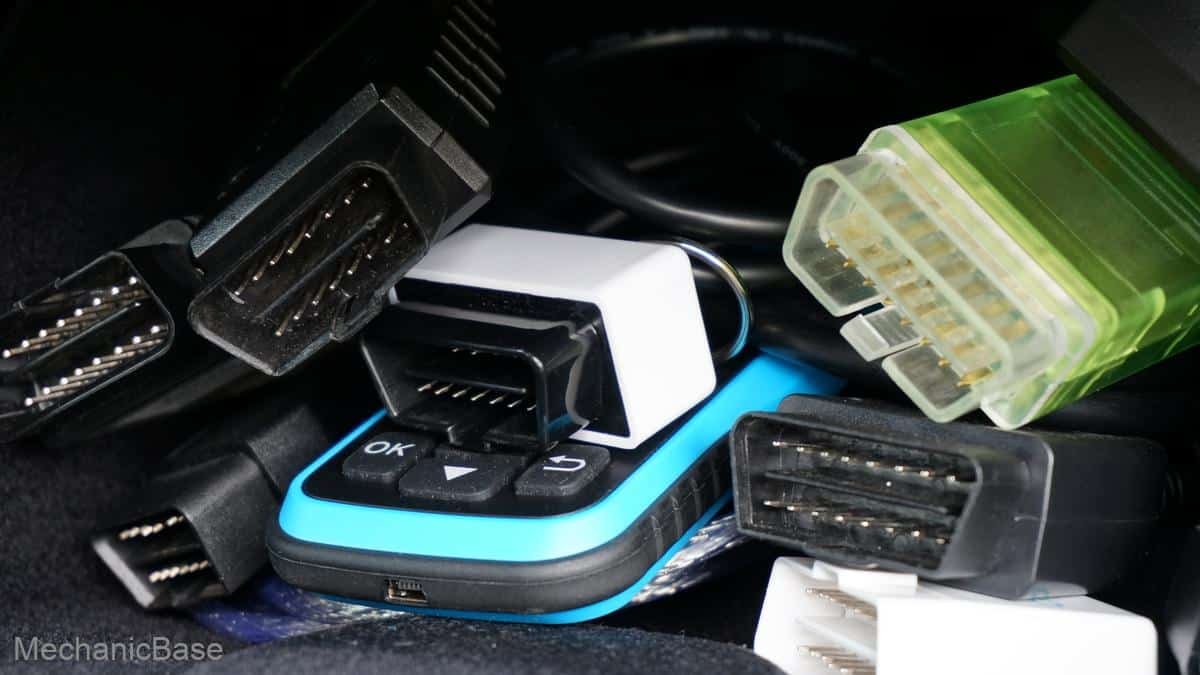
Wired scanners
These connect directly to the vehicle. They are usually reliable and do not depend on Bluetooth quality or a phone battery. For many users, this is the most stable option.
Wireless scanners
These are convenient and keep the area around the steering wheel less cluttered. But wireless tools depend on app quality and connection stability. If the software is weak, the convenience can disappear fast.
Handheld scanners
These have built-in screens and do not require a phone. They are simple to use and easy to carry. Many DIY users prefer them because they feel self-contained.
The best choice depends on your habits. If you want fast and direct use, handheld or wired tools are often better. If you like using a smart device and want more flexibility, app-based scanners can be a good fit.
Price Does Not Tell the Full Story
It is easy to think that a more expensive scanner is always better. That is not always true.
A cheap scanner may be enough if you only need engine codes. At the same time, some mid-priced tools offer excellent live data and code coverage for the money. On the other side, a very expensive scanner may include features you will never use.
Ask yourself one question: Will this tool solve the problems I actually have? If the answer is yes, you are looking at value. If the answer is no, the extra features are just noise.
Also remember hidden costs. Some scanners need paid updates, subscriptions, or extra accessories. A low upfront price can become expensive later if software support is limited.
Common Mistakes Buyers Make
Many people buy the wrong scanner for simple reasons. Avoiding these mistakes can save you money and disappointment.
- Buying only by star rating. Reviews help, but they do not tell you if the scanner fits your car and your needs.
- Ignoring vehicle compatibility. A tool may work on many models but still miss the functions you want.
- Choosing too many features. Extra functions are useless if the menu is confusing or the device is slow.
- Forgetting software updates. Some scanners become outdated too quickly without good support.
- Skipping live data. Many buyers later wish they had this feature when basic code reading is not enough.
How to Compare Two Scanners the Smart Way
When two models seem similar, compare them using a practical lens, not just spec sheets.
Check real vehicle support
Look for proof that the scanner supports your exact make and model. Brand pages, manuals, and support lists are more useful than vague claims like “universal compatibility.”
Look at the diagnostic depth
Ask whether it only reads engine codes or also supports ABS, SRS, and other modules. This one detail often separates a basic tool from a useful long-term purchase.
Review the user interface
Good design matters more than many buyers expect. If the scanner takes too many steps for common tasks, you may stop using it.
Evaluate support and warranty
A strong warranty and responsive customer support can be very valuable, especially for wireless and app-based products. Problems with software or hardware are much easier to handle when the brand is reliable.
A Simple Way to Match the Scanner to Your Budget
You do not need the most expensive scanner to get good results. A better approach is to match budget to use case.
- Low budget: choose a basic code reader if you only need engine light checks.
- Mid budget: choose a scanner with live data, freeze frame, and maybe a few service functions.
- Higher budget: choose a tool with deeper system coverage, faster performance, and regular updates.
If you are not sure, buy one level above your current need. That gives you room to grow without paying for professional-level features you may never use.
Credit: autoleap.com
One Trusted Rule Before You Buy
Before buying, read the product manual or support page, not just the product title. That is where you find the real feature list, update policy, and compatibility details. For a broader look at standardized OBD2 basics, you can also check the U.S. EPA overview of OBD onboard diagnostics.
Final Buying Advice
The best scanner is not the one with the longest feature list. It is the one that fits your vehicle, your skill level, and the kind of problems you want to solve. If you only need to read and clear engine codes, keep it simple. If you diagnose cars often, invest in live data, stronger compatibility, and better software.
Use this OBD2 Scanner Buying Guide as a filter, not a sales pitch. Focus on real-world use, not flashy words. That approach will help you buy a tool that works well the first day and still feels useful years later.
FAQs
1. What is the most important feature in an OBD2 scanner?
For most users, the most important feature is reliable code reading and clearing. After that, live data is the next best feature because it helps you understand the real cause of a problem.
2. Do I need a professional scanner for home use?
Usually, no. Most home users do well with a basic or mid-range scanner. A professional tool only makes sense if you repair cars often or need advanced system access.
3. Will any OBD2 scanner work on my car?
Not always. Basic OBD2 functions work on most 1996 and newer vehicles, but advanced features depend on the car’s make, model, year, and region.
4. Is a Bluetooth OBD2 scanner better than a handheld one?
Not always. Bluetooth scanners are convenient, but handheld scanners are often easier to use and do not depend on app quality or phone connection issues.
5. Should I pay extra for software updates?
If you plan to keep the scanner for a long time, updates are worth paying attention to. They can improve vehicle coverage and keep the tool useful as car systems change.