
Electric vehicles (EVs) are changing how we drive, save energy, and care for our planet. But owning an EV comes with new questions—especially about the health of the battery. The battery is the heart of any electric car. It decides how far you can go, how much you spend on charging, and even your car’s value when you sell it. If you want your EV to last, you must understand how to check and protect its battery health.
Not all EV drivers know how to monitor battery condition. Some think only car dealers can do it. Others believe batteries are “maintenance free.” In reality, regular EV battery health checks help you spot problems early, avoid costly repairs, and get the best performance from your vehicle. This guide explains, in simple terms, how to check EV battery health—whether you own a Tesla, Nissan Leaf, or any other electric car.
Why Ev Battery Health Matters
The battery pack in an EV is a high-tech, expensive component. It’s usually the most costly part to replace. Most modern batteries are built to last, but all batteries slowly lose their ability to hold a charge. This process is called degradation.
A healthy battery means:
- More driving range per charge
- Shorter charging time
- Fewer unexpected issues
- Higher resale value
A weak battery means:
- Frequent charging stops
- Shorter trips between charges
- Possible breakdowns and expensive repairs
Some EV batteries can lose up to 20% of their range after 8-10 years. Others keep over 80% capacity for much longer. The difference often comes down to how the battery is treated—and how often its health is checked.
Main Signs Of Battery Wear
How do you know your EV battery might be getting weak? Look for these signs:
- Reduced driving range – If your car can’t go as far as before on a full charge, it may be losing capacity.
- Slower charging – Batteries in poor health often take longer to charge, especially at fast chargers.
- Frequent “low battery” warnings – If the warning light comes on sooner, your battery may not hold as much energy.
- Unexpected drops in charge – Sometimes, a battery’s charge percentage drops quickly or unevenly.
- Hot battery during use or charging – Excessive heat can mean the battery is struggling.
Noticing these signs early helps you act before the problem gets worse.
Credit: gomechanic.in
How To Check Ev Battery Health: Step-by-step
1. Check The Dashboard Battery Report
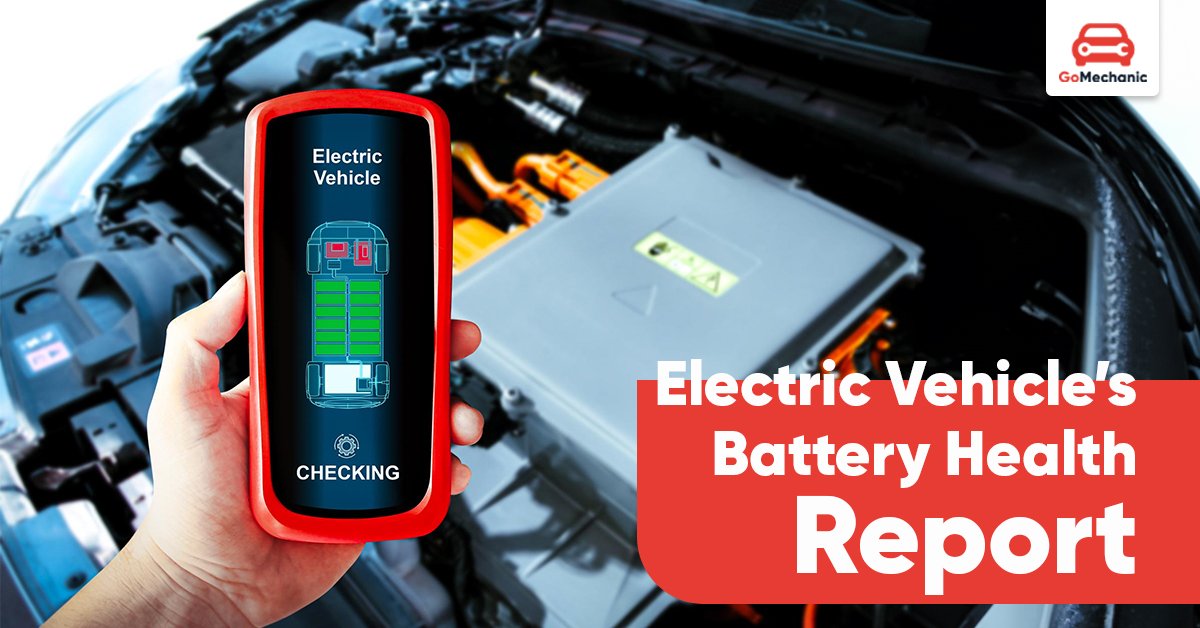
Most modern EVs offer a built-in battery health status on the dashboard or infotainment system. This is the easiest way to get a quick overview.
- Find the battery information menu in your car’s display.
- Look for State of Health (SoH), State of Charge (SoC), or “Battery Capacity.”
- Compare the current capacity (in kWh or %) to the original value.
For example, if your car’s battery was 60 kWh when new but now shows 54 kWh, it has lost 10% of its capacity.
2. Use The Manufacturer’s Mobile App
Many EV brands like Tesla, Nissan, and Hyundai have official apps that show battery health data. These apps can provide more details than the dashboard.
- Download the app for your EV model.
- Connect your car and sync data.
- Check for battery statistics, charging history, and estimated degradation.
Some apps even offer remote diagnostics and alerts if battery health drops suddenly.
3. Run A Battery Diagnostic Test
A battery diagnostic test gives a detailed look at battery condition. You can do this in several ways:
- Visit your car dealer or a certified EV service center.
- Use a third-party diagnostic tool (OBD-II scanner with EV support).
- Some independent garages now offer battery testing for popular EV models.
A diagnostic test measures:
- Current battery capacity
- Cell balance (whether all battery cells age equally)
- Charge/discharge cycles
- Temperature history
This kind of test is more accurate than simple range checks.
4. Monitor Real-world Driving Range
Keep track of how far you can really go on a full charge. This is often the first sign of battery aging.
- Fully charge the battery.
- Reset the trip meter.
- Drive normally until the battery is nearly empty.
- Note the distance covered.
Compare this number with the official range listed by the manufacturer. A small drop is normal over time. A big drop means it’s time for a deeper check.
5. Compare Charging Speeds
Healthy batteries accept charge faster, especially at fast-charging stations. If your EV now takes much longer to reach 80% than when it was new, there may be a health issue.
- Use the same charging station and settings as before.
- Record the time taken to reach certain charge levels (e.g., 20% to 80%).
- Repeat occasionally to spot trends.
6. Check For Battery Error Codes
Sometimes, warning lights or error codes appear on the dashboard. These can point to problems with the battery management system (BMS) or the cells themselves.
- Read your car’s manual for explanation of error codes.
- Use an OBD-II scanner to check for hidden fault codes.
- If you see battery-related errors, get a professional check soon.
7. Use Third-party Battery Health Tools
There are apps and devices made for EV battery monitoring. Some popular ones include:
- LeafSpy (for Nissan Leaf)
- Scan My Tesla (for Tesla models)
- Torque Pro with EV-specific add-ons
These tools plug into your car’s data port and show:
- Battery temperature
- Degradation trends
- Cell voltages
For many EVs, these apps give more details than the standard dashboard.
8. Request A Battery Health Certificate
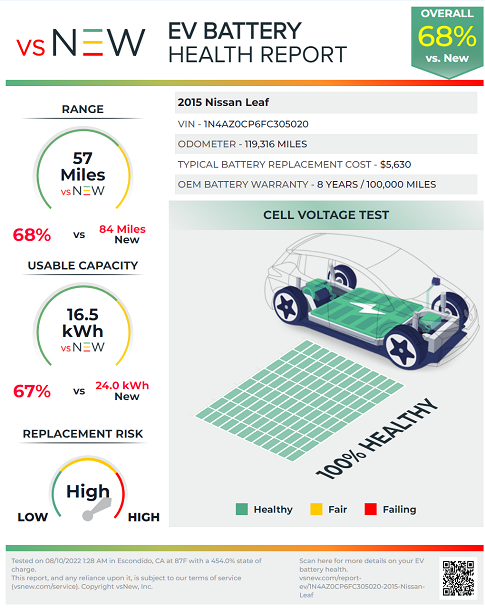
If you plan to buy or sell a used EV, a battery health certificate is valuable. It’s like a medical report for the battery.
- Ask the dealer or service center for a certificate after a full battery test.
- Some countries now require this for used EV sales.
This certificate shows buyers the real battery condition—not just the car’s age or mileage.
Useful Data: Battery Health Vs. Age And Mileage
Here’s a comparison of how battery capacity can change over time or with use:
| Battery Age | Typical Capacity Left | Notes |
|---|---|---|
| New | 100% | Full range and performance |
| 3 years | 92-98% | Small, normal drop |
| 5 years | 85-95% | Depends on use and climate |
| 8-10 years | 75-90% | Some batteries do much better |
Insider tip: Batteries age more from heat and frequent fast charging than from simple years or mileage. Two cars of the same age can have very different battery health.
Factors That Affect Ev Battery Health
Understanding what harms or helps battery life is key to getting the most from your EV.
Main Factors
- High temperatures – Heat is the number one battery killer. Parking in direct sun, frequent fast charging, or living in hot climates all speed up degradation.
- Frequent fast charging – Using DC fast chargers often can raise battery temperature and stress cells.
- Deep discharging – Regularly running the battery to near zero shortens its life.
- Charging to 100% often – Keeping the battery at full charge for long periods is hard on lithium-ion cells.
- High mileage – More cycles mean more wear, but careful drivers can still get many years of good health.
Practical Example
A Nissan Leaf used daily in Norway (cool climate) and charged slowly may keep 90% capacity after 8 years. The same model used in Arizona (hot, fast charging) could drop to 80% in the same period.
Common Myths About Ev Battery Health
Many drivers believe things about EV batteries that are not true. Here’s the reality:
- Myth: “You must always charge to 100% for best range.”
- Fact: Charging to 80% most of the time is better for battery health.
- Myth: “All battery loss means a bad battery.”
- Fact: Some loss (5-10% over years) is expected and not a reason to panic.
- Myth: “If my range drops, the battery is dying soon.”
- Fact: Most batteries have years of life even after 20% capacity loss.
Knowing the facts helps you make smart choices.
How To Prolong Battery Health
You can’t stop battery aging, but you can slow it down. Here’s how:
- Charge up to 80% for daily use. Save 100% charges for long trips.
- Avoid deep discharges. Plug in when you reach 20-30%, not zero.
- Use slow charging (Level 2 or home charger) when possible.
- Park in shade or use a garage during hot weather.
- Follow software updates. Makers often improve battery management with new firmware.
- Don’t ignore warnings. Address error codes quickly.
Non-obvious tip: Some EVs let you set a charging limit in the app or car menu. Use this feature to avoid overcharging automatically.
Comparing Battery Health Checks: Diy Vs. Professional
Many drivers wonder if they can rely on self-checks, or if they need a pro. Here’s a quick comparison:
| Method | What You Get | Skill Needed | Cost |
|---|---|---|---|
| Dashboard/App | Basic health info | Low | Free |
| Third-party app/device | Detailed stats, trends | Medium | Low to Medium |
| Professional test | Full diagnostic, certificate | None (for owner) | Medium to High |
For most owners, a mix of dashboard checks and occasional pro tests is best.
Battery Warranties: What To Know
Most EVs come with a battery warranty, usually 8 years or 100,000 miles (whichever comes first). If your battery loses more than a set amount of capacity (often 30%) during this time, the manufacturer may replace or repair it for free.
However, warranty terms differ by brand. Always check the fine print, and keep records of your checks and any problems.
When To Replace Your Ev Battery
Battery replacement is rare but sometimes necessary. If your range is under 60% of new, and you see frequent errors or charging problems, it may be time for a replacement. Costs can range from $5,000 to $15,000, but prices are falling each year.
Tip: Some carmakers offer battery refurbishment instead of full replacement, which is cheaper and greener.
Getting Professional Help
If you’re unsure, or see warning signs, visit a certified EV technician. They have special tools and training to diagnose and fix battery issues safely. Don’t try to open or repair EV batteries yourself—they can be dangerous if handled incorrectly.
Real-world Example: Tesla Model 3
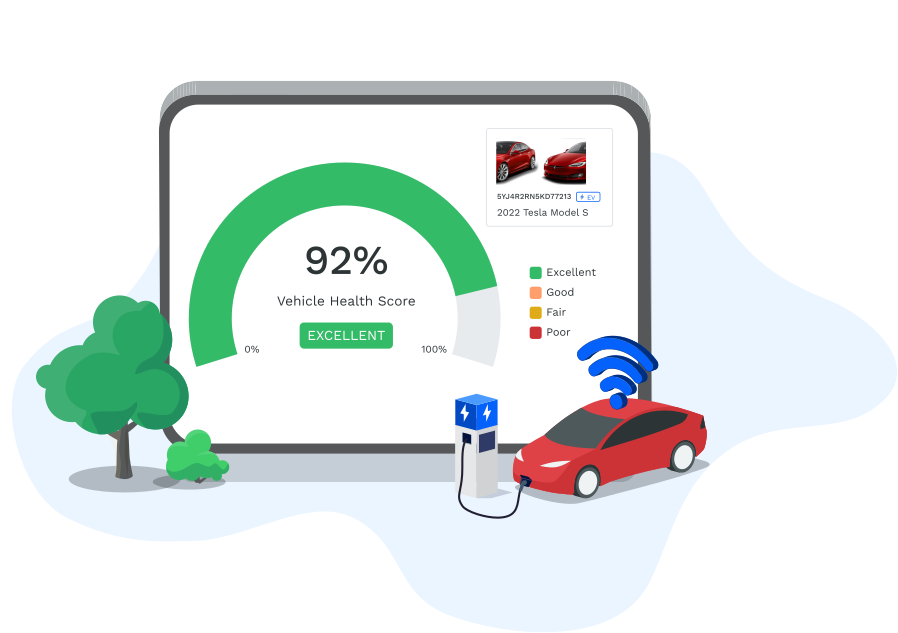
A 2020 Tesla Model 3 owner in California noticed a 10% drop in range after three years. Using the Tesla app and a third-party tool, they found the battery was healthy, but the local heat and frequent fast charging had caused normal degradation.
By switching to more home charging and lowering the charge limit to 80%, the owner slowed further loss.
Credit: motorq.com
External Resources
For deeper details on battery degradation and EV care, visit the Wikipedia page on electric vehicle batteries.
Frequently Asked Questions
How Often Should I Check My Ev Battery Health?
It’s good to check every few months, or after long road trips. If you notice range drops or error warnings, check sooner.
Can I Check Battery Health At Home?
Yes. Use your car’s dashboard, mobile app, or a third-party device for basic checks. For a full report, visit a service center.
What Is A Good Battery Health Percentage?
Over 80% capacity is usually considered good. Modern EVs often stay above this for many years.
Does Fast Charging Damage The Battery?
Frequent use of DC fast chargers can speed up battery wear. Using slow (Level 2) charging most of the time is better.
Is A Used Ev With 80% Battery Health Still Worth Buying?
Yes, if priced fairly. An 80% battery can still give years of good service. Ask for a recent battery health certificate before buying.
Caring for your EV battery is as important as caring for the car itself. Regular health checks, smart charging habits, and knowing what to look for will keep your electric vehicle running smoothly and efficiently for years to come.
Credit: www.evengineeringonline.com