
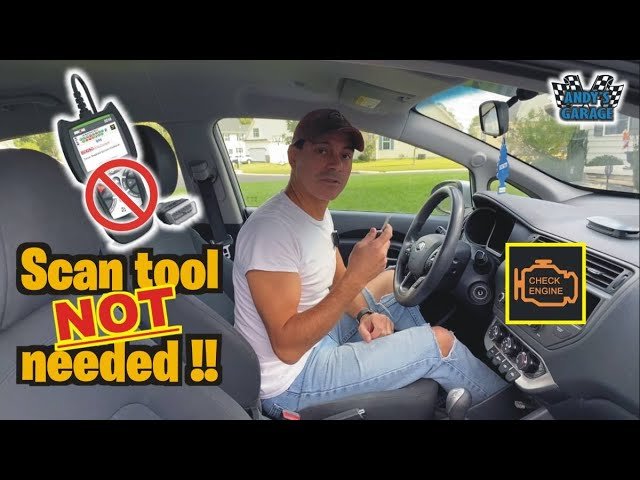
Reading trouble codes without a scanner can save money, time, and frustration. Many car owners feel lost when the check engine light comes on, thinking they need expensive tools or a mechanic right away. But you can often read these codes yourself, even if you have no special equipment. This guide explains how to do it safely and accurately, especially for people who want to understand their car better.
What Are Trouble Codes?
Trouble codes, also called diagnostic trouble codes (DTCs), are numbers stored in your car’s computer when something goes wrong. They help mechanics (and you) know what part of the car needs attention. These codes use a system called On-Board Diagnostics (OBD). There are two main types:
- OBD-I: Used in cars before 1996. Each brand had its own way to read codes.
- OBD-II: Used in cars from 1996 onward. This system is more advanced and standardized.
Understanding what type your car uses is the first step.
Why Read Codes Without A Scanner?
Not everyone owns an OBD-II scanner. Sometimes, you need answers right away. Reading codes without a scanner can:
- Save money on mechanic visits or buying a tool.
- Help you decide if the issue is minor or urgent.
- Empower you with knowledge about your vehicle.
Most important, you can often do this with items you already have at home.
Credit: www.youtube.com
Before You Start: Safety And Preparation
Never ignore safety. Here are simple steps to prepare:
- Park your car on a flat surface.
- Turn the ignition off.
- Engage the parking brake.
- Have your owner’s manual nearby.
- Make sure you have pen and paper to write down codes.
If you feel unsure, it’s always safer to ask for help.
How To Read Trouble Codes On Obd-i Cars
Older vehicles (usually before 1996) often make it easy to check codes without a scanner. Each brand has a unique process.
Gm (chevrolet, Pontiac, Etc.)
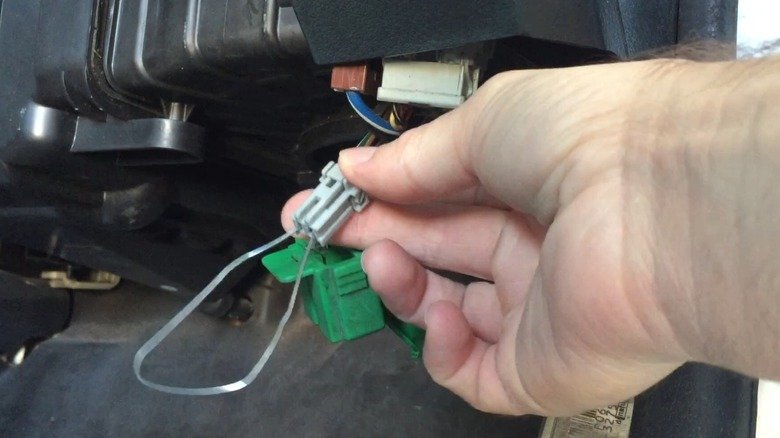
Most General Motors cars let you read codes with a simple paperclip:
- Find the diagnostic connector under the dash.
- Bend a paperclip into a “U” shape.
- Insert one end into the A terminal and the other into B.
- Turn the ignition key to ON (do not start).
- The check engine light will flash. Count the flashes. For example, flash-flash-pause-flash means code 21.
- Write down the codes.
Ford
Ford cars often have a Self-Test Output (STO) connector:
- Find the connector (usually in the engine bay).
- Use a jumper wire between the STO and Signal Return (SIG RET).
- Turn the ignition ON.
- The check engine light will flash codes, or you may hear beeps.
Chrysler/dodge/plymouth
On these cars, you can use the ignition key:
- Turn the key ON-OFF-ON-OFF-ON (do not start).
- The check engine light will flash out the codes.
- Count the flashes and write down the numbers.
Toyota
Many Toyotas use a diagnostic box:
- Open the diagnostic box in the engine bay.
- Use a jumper wire between TE1 and E1 terminals.
- Turn ignition ON.
- The check engine light will flash out the codes.
Example Of Obd-i Code Reading
Suppose you own a 1992 Chevrolet. You use a paperclip, count two flashes, a pause, then three flashes. This is code 23. Look up what “23” means for your car. Each brand’s codes are different, so always check the right list.
How To Read Trouble Codes On Obd-ii Cars
After 1996, OBD-II became standard. Most cars need a scanner, but some offer “key dance” or dashboard tricks to read codes without tools.
The “key Dance” Method (chrysler, Dodge, Jeep)
Many Chrysler vehicles still allow you to read codes with the ignition key:
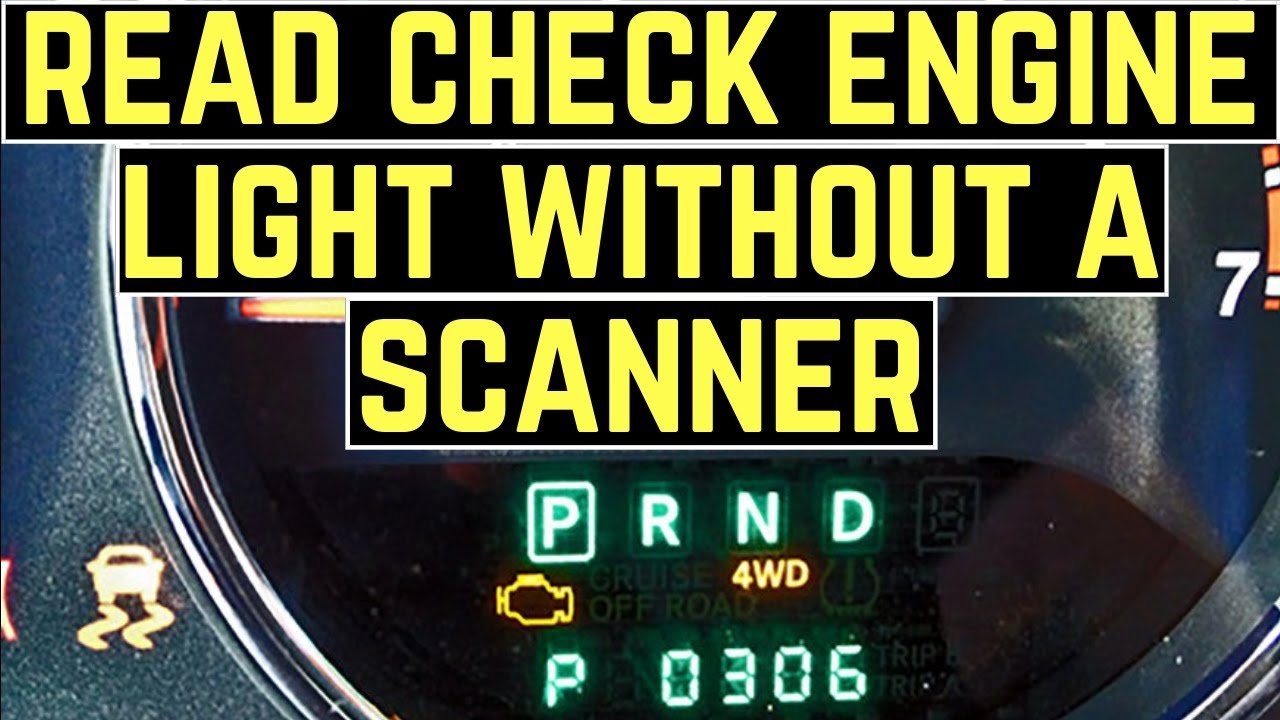
- Turn the key ON-OFF-ON-OFF-ON quickly (within five seconds).
- Watch the dashboard display or the check engine light.
- Some models show codes in the odometer display (like “P0340”).
- Others flash the check engine light.
Honda And Acura
Some older Honda/Acura cars allow a paperclip method:
- Locate the two-pin service connector under the dash.
- Insert a jumper wire.
- Turn the ignition to ON.
- The check engine light flashes out the codes.
Nissan
For some Nissans, you can use the ECU screw inside the passenger footwell:
- Remove the kick panel.
- Turn the screw fully clockwise, then back.
- The check engine light will flash out codes.
Modern Cars
Most newer cars (after 2005) require a scanner. Some hybrids and luxury cars have no manual method. However, some models may display a warning message or code on the dashboard when you use the correct sequence.
Interpreting Flash Codes
Understanding the flashes is key. Here’s how it usually works:
- Short flashes mean single numbers.
- Long pauses separate code numbers.
- For example, two flashes, pause, three flashes = code 23.
Write codes exactly as you see them. Always look up codes in your car’s manual or a trusted online source, because the same code can mean different things on different brands.
Common Trouble Codes And What They Mean
Some codes appear often. Here are a few examples:
- Code 12 (GM OBD-I): System normal (used as a start signal).
- Code 21 (GM OBD-I): Throttle position sensor out of range.
- P0300 (OBD-II): Random/multiple cylinder misfire.
- P0171 (OBD-II): System too lean (bank 1).
If you see a code, do not panic. Sometimes, the problem is simple, such as a loose gas cap.
Real-world Example
Imagine your 1995 Toyota Camry’s check engine light comes on. You use a jumper wire in the diagnostic box and count two flashes, pause, then four flashes. This is code 24. Your manual says code 24 is a “Intake Air Temperature Sensor”.
You now know where to start looking, or you can tell the mechanic the code, saving diagnosis time.
Credit: www.slashgear.com
When Reading Codes Without A Scanner Works Best
This method is most useful when:
- Your car is pre-1996 (OBD-I).
- The car supports manual code reading (as described).
- You have some basic tools (paperclip, jumper wire).
- You want a quick answer to decide your next step.
Limitations Of Reading Codes Without A Scanner
It’s important to know what this method cannot do:
- Not all cars support it. Many new cars need a scanner.
- You get codes, not details. A scanner gives more information, like live data.
- Codes can be brand-specific. You must check the right list.
- Some codes are “pending”. Manual methods may not show these.
- You can’t clear codes without a scanner (in most cases).
A paperclip or key dance only tells you the basic code, not the full story.
Practical Tips For Beginners
Many people miss these useful tips:
- Write down the codes as you see them, including the order.
- Reset the codes by disconnecting the battery for a few minutes (OBD-I only)—but this erases radio presets and more.
- Don’t ignore the meaning. A code is only a clue; you may need to check wiring, sensors, or connectors.
- Use online forums for your car brand. Many enthusiasts share tips for reading codes.
Often, the biggest mistake is guessing what the code means without checking the official list. Always use your car’s manual or a trusted source.
Comparison: Manual Code Reading Vs. Scanner
Here’s a quick look at the pros and cons:
| Method | Pros | Cons |
|---|---|---|
| Manual (Paperclip, Key Dance) | No cost, fast, no tools needed | Limited info, only works on some cars, can’t clear codes |
| OBD-II Scanner | Detailed info, works on most cars, can clear codes | Costs money, requires tool, learning curve |
Which Cars Support Manual Code Reading?
Not all vehicles allow code reading without a scanner. Here’s a general guide:
| Brand | Manual Code Reading? | Method |
|---|---|---|
| GM (Chevrolet, Pontiac, etc.) | Yes (OBD-I) | Paperclip/Jumper Wire |
| Ford | Yes (OBD-I) | Jumper Wire |
| Chrysler/Dodge/Jeep | Yes (OBD-I/Some OBD-II) | Key Dance |
| Honda/Acura | Some models | Jumper Wire |
| Nissan | Some older models | ECU Screw |
| Modern Toyota, Hyundai, Kia, VW, BMW, etc. | No | Scanner Needed |
Why Codes Matter: Making Good Decisions
Knowing the code can help you:
- Decide if you can drive. Some codes mean it’s safe, others mean stop right away.
- Talk to a mechanic. You’ll sound more informed.
- Avoid unnecessary repairs. You won’t get tricked into expensive, unneeded work.
For example, if you see a P0455 code (large EVAP leak), you might just need to tighten your gas cap.
What To Do After Reading A Code
- Look up the code in your manual or online.
- Check simple causes (loose gas cap, dirty sensor).
- If the code is serious (like P0300, misfire), get professional help.
- Keep a record of codes in case the problem returns.
When To Buy A Scanner
If you like working on cars, an OBD-II scanner is a smart investment. It gives more data and can clear codes. Some cost less than $20. There are also smartphone adapters you can use with free apps. For more about OBD-II systems, see the official On-board diagnostics page.
Common Mistakes To Avoid
- Guessing what the code means. Always check the right source.
- Mixing OBD-I and OBD-II methods. Use the correct method for your car.
- Ignoring safety. Never work on a hot engine or with the ignition on unless needed.
- Clearing codes without fixing the problem. The light will return.
Frequently Asked Questions
Can I Read Codes On Any Car Without A Scanner?
No, only certain cars (mainly before 1996 or some Chrysler models) allow code reading without a scanner. Most modern cars need a scanner.
Will Reading Codes Without A Scanner Damage My Car?
If you follow the correct steps, it is safe. Never force wires or use metal tools on live connectors. Always check your manual for guidance.
Can I Clear Codes Without A Scanner?
Usually, you can clear codes on OBD-I cars by disconnecting the battery for 5-10 minutes. On OBD-II cars, a scanner is needed. Remember, clearing codes does not fix the problem.
My Check Engine Light Is On But No Codes Flash. Why?
This can happen if the car has a communication problem, or if it requires a scanner. Check your method and connections. If unsure, ask a professional.
What If I Get Multiple Codes?
Write them all down in the order they appear. Fix the first code first, as later codes may be caused by the first problem.
Reading trouble codes without a scanner is a useful skill for car owners. It empowers you to understand your vehicle and make better choices. While it does not replace a full scan tool, it gives you a head start in solving simple issues and avoiding unnecessary repair costs.
Credit: www.youtube.com